Regular, Long or Extra Long? Pick Pants Length Before Size
Select Regular, Long or Extra Long from the current option menu before choosing XS–XL. Cmfrt Pants lists length and size as independent fields for High Rise Casual Loose Pants With Pockets, so one familiar alpha size does not answer the inseam-choice question.
Which order should you use?
- Record the body measurements requested by the current chart.
- Compare the intended hem position with the chart’s length information.
- Choose Regular, Long or Extra Long.
- Choose XS, S, M, L or XL separately.
- Finish with one of the ten listed colours.
| Selector | Current labels | Do not assume |
|---|---|---|
| Length option | Regular, Long, Extra Long | That alpha size automatically chooses length |
| Size | XS, S, M, L, XL | That the same label matches another garment |
| Colour | Slate, Teal, Pink, Yellow, Light Blue, Black, Light Gray, Beige, Olive, Maroon | That the slate photo represents another label |
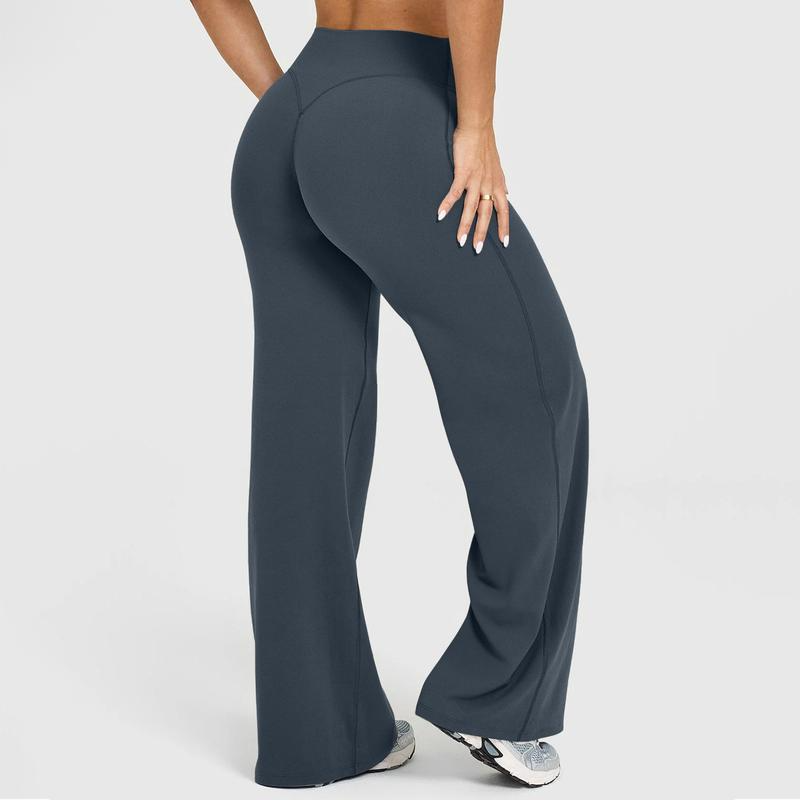
What does the photograph contribute?
The image confirms a dark slate-toned, high-rise, loose wide-leg presentation. It does not show the front pockets clearly, reveal garment measurements or identify which length option the model is wearing. Use it to understand the visible silhouette, not to reverse-engineer sizing.
Try the length decision against the footwear you expect to wear most often. Record the intended hem position while standing in that footwear, then compare that plan with the current chart. This is a planning check only; the photo does not provide a usable scale or establish where the hem will fall on another person.
What should you write beside the cart line?
Use a three-part note such as “Olive / Long / M.” That compact record makes a selector reset easier to spot and gives you a direct comparison with the order confirmation.
Review the current chart and variants on the High Rise Casual Loose Pants With Pockets product page.